

In this content, we will explore cloud storage and determine which is best , analyzing reliable platforms, their pros, cons, and features offered.
Cloud storage is an indispensable tool for anyone seeking security, convenience, and quick access to files on any device.
Discover how to make the most of the free versions and choose the one that best suits your needs.
Table of Contents
What is cloud storage and how does it work?
Cloud storage is an increasingly popular technological solution that allows you to securely store data on remote servers, accessible via the internet.
Instead of keeping files on physical devices, such as hard drives or flash drives, users can store them in specialized data centers, with the ability to access them from anywhere, at any time.
Read also:
- ChatGPT 4 Free: 6 ways to use it without paying
- How to Free Up Space in Google Photos: Step by Step
- The Best Photo Collage Apps for Your Phone
This method offers several advantages, including greater security, ease of access, and scalability. Furthermore, cloud storage options are often flexible and can be adjusted to suit the user's needs, whether for individuals or businesses. Throughout this article, we will explore the main aspects of this service and how it can benefit your digital routine.
The best free cloud storage platforms
Below we provide an in-depth analysis of each free cloud storage service, including their main features, advantages, and limitations. With this information, you can decide which cloud storage best suits your needs. Additionally, you can assess whether unlimited cloud storage is available, so be sure to check it out!
1. Google Drive
- Availability: Compatible with Android, iOS, Windows, and Mac;
- Initial free space: 15 GB.
Google Drive is one of the most complete and popular solutions on the market. Developed by Google, it offers a wide range of features that go beyond storage. Its integration with Google Workspace (Documents, Sheets, Slides, and others) allows you to create, edit, and share files directly from the cloud, without the need for additional programs.
How do I access Google Drive?
- Computer: Access the Google Drive website and log in with your Google account. You can use the web interface to upload, organize, and download files;
- Mobile: the app is available for free download on the Google Play Store (Android) and the App Store (iOS).
Pros:
- Ample free storage: 15 GB is one of the largest free capacities on the market;
- Integrated tools: With Google Workspace, you can create and edit documents directly in the cloud;
- Easy sharing: allows you to share files or folders with public or private links;
- Automatic backup: ideal for storing photos, contacts, and even messages on Android.
Cons:
- Shared storage: the 15 GB are divided between Google Drive, Gmail, and Google Photos;
- No free unlimited plan: larger plans require a subscription.
Limitations of the free plan:
Despite the generous storage space, integrated usage can quickly consume the 15 GB, especially for those who receive many emails with attachments or back up high-resolution photos.
Tip: To free up space, delete large files such as old videos, unnecessary emails, and old phone backups.
2. Dropbox
- Availability: Compatible with Android, iOS, Windows, Mac, and Linux;
- Initial free space: 2 GB.
Dropbox is a pioneer in the cloud storage market and remains one of the best options for those seeking efficient synchronization between devices.

With its intuitive interface and minimalist design, it's ideal for those who want simplicity in file management.
How do I access Dropbox?
- Computer: Access the Dropbox website or install the desktop application to automatically sync specific folders on your computer;
- Mobile: Available in major app stores, the app allows you to upload photos, create folders, and access documents.
Pros:
- Fast synchronization: files sent from one device are instantly updated on the others;
- Simple sharing: allows you to create public links for sending large files;
- App integration: compatible with popular tools such as Slack , Zoom , and Trello .
Cons:
- Limited free space: only 2 GB, insufficient for larger files or multiple projects;
- Limited premium features: some tools, such as version history, are exclusive to paid plans.
Limitations of the free plan:
Limited storage is a major drawback for users who work with many files. Additionally, there is a limit to the number of devices that can be connected simultaneously in the free version.
Tip: Use Dropbox to store small files and use other services for larger files.
3. OneDrive
- Availability: Windows, Android, iOS, and Mac;
- Initial free space: 5 GB.
OneDrive , developed by Microsoft, is the perfect choice for those already using the Windows ecosystem and the Office suite applications. It offers direct integration with Word, Excel, PowerPoint, and Outlook, facilitating workflow in corporate or academic environments.
How do I access OneDrive?
- Computer: It's integrated into the Windows system. Simply log in with your Microsoft account. Mac users can download the application from the official website;
- Mobile: the app is available for free on Android and iOS, with automatic photo backup features;
Pros:
- Automatic synchronization with Windows: allows you to save documents directly to OneDrive when creating or editing in Office;
- Offline access: available for previously synchronized files;
- Security: Offers two-factor authentication options.
Cons:
- Limited free storage: only 5 GB on the basic plan;
- Limited integration with Apple devices: it works, but it's not as intuitive as iCloud.
Limitations of the free plan:
The space can quickly be filled by automatic backups or large media files.
Tip: Disable automatic backup for large folders, such as “Pictures” or “Videos,” to save space.
4. MEGA
- Availability: Android, iOS, Windows, Mac, and Linux;
- Initial free space: 20 GB.
MEGA is an excellent option for those seeking unlimited cloud storage in terms of security.
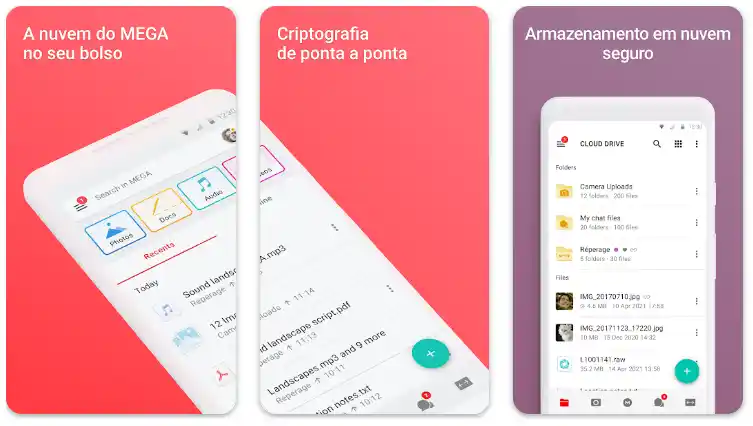
Its end-to-end encryption ensures that only you have access to your data, making it a popular choice among privacy-conscious users.
How do I access MEGA?
- Computer: Access the official MEGA website to upload files or install the desktop app for automatic synchronization;
- Mobile phone: the app is simple and offers automatic photo backup.
Pros:
- Generous free space: 20 GB for new users, with bonus options for inviting friends;
- High security: data is encrypted before being sent;
- Advanced features: includes integrated secure chat for communication.
Cons:
- Transfer limit: the free plan restricts the amount of data that can be sent or downloaded per day;
- Complex interface: it can be intimidating for beginner users.
Limitations of the free plan:
Transfer restrictions can be frustrating for those who need to access large files frequently.
Tip: Use MEGA to store confidential and important documents, but consider other platforms for constant file sharing.
5. iCloud
- Availability: iOS, Mac, and Windows;
- Initial free space: 5 GB.
For users of the Apple ecosystem, iCloud is practically indispensable. It automatically syncs photos, contacts, notes, and other data, ensuring that all information is available on their devices.
How do I access iCloud?
- Computer: Mac users have iCloud integrated into the system. On Windows, it is necessary to install the application;
- Mobile: iCloud is automatically enabled on iOS devices.
Pros:
- Automatic synchronization: ideal for automatic backups and integration with native Apple applications;
- Accessibility: allows you to easily restore devices with saved data;
- Security: It offers advanced features such as two-factor authentication.
Cons:
- Limited space: the 5 GB is quickly consumed by device backups.
- Less useful outside the Apple ecosystem: although it works on Windows, it's not as intuitive as other options.
Limitations of the free plan:
In addition to the limited storage space, it's not possible to disable automatic application backups, which consumes space unnecessarily.
Tip: Use iCloud only to save essential documents and disable automatic backups for rarely used apps.
Comparison between free cloud storage platforms
Below, you'll find a detailed comparison of the main free cloud storage platforms, considering space, features, security, and limitations, to help you make your choice.
| Platform | Free Space | Resources | Limitations | Security | Availability |
|---|---|---|---|---|---|
| Google Drive | 15 GB | Integration with Google Workspace, automatic synchronization. | 15 GB limit for all Google services. | Cryptography in transit and at rest | PC, Android, iOS |
| Dropbox | 2 GB | Fast synchronization, integration with various tools. | 2 GB limit in the free version. | Cryptography in transit and at rest | PC, Android, iOS |
| OneDrive | 5 GB | Integration with Office 365, file synchronization | 5 GB limit for the free version. | Cryptography in transit and at rest | PC, Android, iOS |
| iCloud | 5 GB | Integration with Apple devices, automatic backup. | 5 GB limit for photos, documents, and backups. | Cryptography in transit and at rest | PC, Mac, iOS |
| pCloud | 10 GB | Synchronization, automatic backup, support for multiple file formats. | 10 GB limit, with the possibility of earning more space through promotions. | Cryptography in transit and at rest | PC, Android, iOS |
Quick tips:
- Google Drive is ideal for those who already use the Google ecosystem and need integration between various tools;
- Dropbox offers excellent synchronization, making it a good option for those who need easy collaboration and sharing.
- OneDrive is the best choice for those who regularly use Microsoft Office ;
- MEGA is recommended for those who prioritize security and encryption, being excellent for storing sensitive data;
- iCloud is perfect for Apple device users, but with limited storage space, it's better suited for those already immersed in the Apple ecosystem.
Benefits of using cloud storage platforms
Next, you can explore the various advantages that cloud storage offers, such as:
- Accessibility from anywhere: the ability to access your files from different devices and locations;
- Security: How cloud platforms implement encryption and automatic backup to protect data;
- Saving physical space: eliminating the need for physical storage devices such as hard drives and pen drives;
- Ease of sharing and collaboration: how the cloud facilitates sharing files with others and collaborating in real time;
- Data backup and recovery: how the cloud offers an easy and secure way to back up important files and recover them in case of failures.
Frequently asked questions about cloud storage
Check out the answers to the most common questions about cloud storage, helping you choose the best platform and optimize its use in a safe and efficient way.
How to choose the best cloud storage platform?
Choosing the best platform depends on your specific needs. If you're looking for more free storage space, Google Drive and pCloud stand out, with generous offers in their free plans. On the other hand, if you're more interested in efficient integration with other services, OneDrive might be the best option, especially for those using the Office 365 suite.
What happens if I exceed my free storage limit?
If you exceed your free storage limit, you will have two options: either you choose to pay for the extra space, or you need to free up space by deleting old files.
Some platforms offer a way to optimize storage space, such as Google Drive, which allows you to delete old files you no longer access or use backup tools to keep older data out of your main storage space.
What are the main security risks in cloud storage?
While cloud storage is generally secure, it's important to be aware that security also depends on the settings you choose.
Make sure to use strong passwords, enable two-factor authentication, and choose platforms that use end-to-end encryption, such as Dropbox and Google Drive. Also, be careful about inadvertently sharing files.
Is it possible to use cloud storage on mobile devices?
Yes, most cloud storage platforms, such as Google Drive, Dropbox, and OneDrive, offer mobile apps. These apps make it possible to access, share, and edit files directly from your phone or tablet, ensuring convenience and flexibility for everyday life.
Is cloud storage safe for storing sensitive documents?
Cloud storage is secure, but security will depend on the platform and privacy settings you choose. Platforms like pCloud and Google Drive offer encryption in transit and at rest, ensuring the security of your data. However, for highly sensitive files, it may be advisable to add an extra layer of security, such as encrypting the files before uploading them to the cloud.
Conclusion
Choosing the best cloud storage platform depends on your needs. If you're looking for productivity, Google Drive is a great choice. For those who prioritize security, MEGA stands out. Apple users can benefit from iCloud . Evaluate the pros and cons of each solution and choose the one that best suits your routine.

